
Spider Solitaire: Card Games
MobilityWareCard
4.684.54K Reviews
- Version
- 7.8.5.4996
- Installs
- 50.00M
- Age Rating
- Everyone
Screenshots
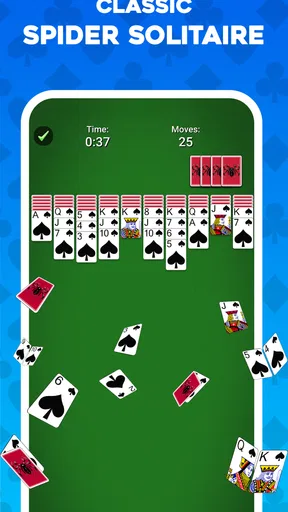
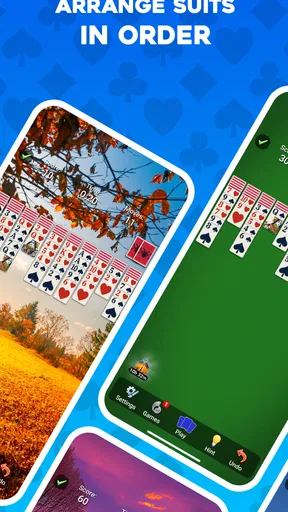
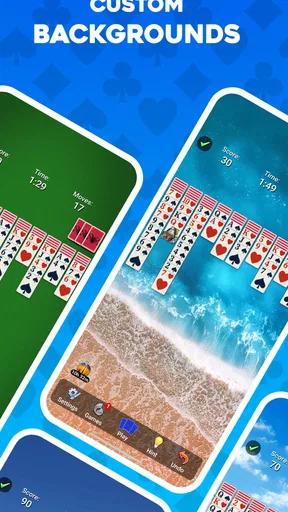
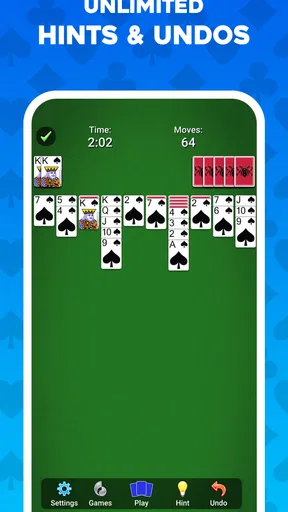
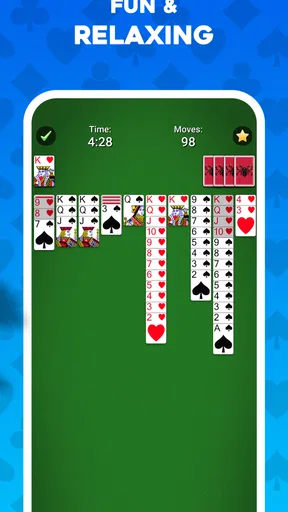
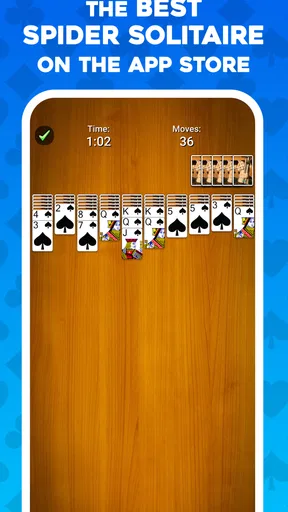

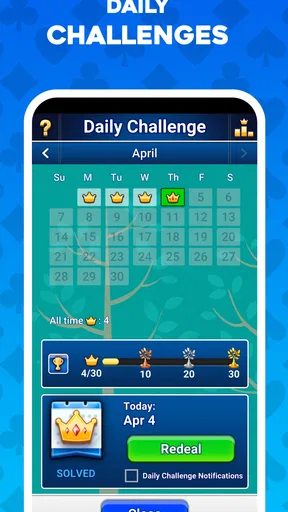
Our Review of Spider Solitaire: Card Games
 Analysis by Appyee
Spider Solitaire is the kind of card game I open when I want a quiet challenge rather than a long gaming session. MobilityWare keeps the focus on the familiar Spider format, so the appeal is easy to understand: arrange cards in descending order, build complete suited sequences, and clear the table without turning the experience into something noisy or complicated. After spending time with it, I found that its strongest quality is not novelty. It is the way the game makes a short break feel structured, repeatable, and pleasantly absorbing.
This is a free card game for Android, rated Everyone, with optional in-app purchases ranging from $1.99 to $29.99 per item. It has been available since September 15, 2011, and its current version is 7.8.3.4979, requiring Android 8.0 or later. An average rating of 4.6 from around 747 thousand ratings, together with more than 50 million installs, suggests that it has reached far beyond the small audience that already knows Spider Solitaire.
Why the classic Spider format still works here
The central capability is simple but important: the game turns the traditional Spider Solitaire layout into a compact digital routine that I can pick up, pause, and return to without learning a new system. Cards are moved into descending runs, with suit decisions becoming increasingly important as the layout develops. The game is easy to understand at the beginning, but each move can affect several turns later, which gives even a short round more weight than a basic matching game.
I particularly like the balance between visible information and uncertainty. The cards already on the table give me enough clues to plan, but face-down cards prevent me from solving everything immediately. That creates the familiar Spider tension: I may have a legal move available now, yet the better decision could be to preserve an empty column, expose a hidden card, or delay completing a sequence until the layout is more flexible.
That is where this version differs from an extremely casual card app. It does not need a story, characters, or a collection system to hold my attention. The challenge comes from managing space and order. When I make a poor move, the result usually feels understandable in hindsight. I can see that I blocked a column too early or used a useful card sequence in the wrong place. That sense of responsibility makes a win feel earned instead of random.
The game also fits the habits of people who already play classic card games on a computer or with physical cards. The rules are recognizable, the objective is clear, and the screen does not need much explanation before I can begin. For someone who wants a familiar solo game during a commute, a waiting room, or a short evening break, that low learning curve is a real advantage.
What a round feels like on a phone
In practice, I treat each round as a small planning exercise rather than something to rush through. My first few moves usually focus on uncovering hidden cards and keeping the columns from becoming crowded. It is tempting to build the longest visible sequence immediately, but that can remove the flexibility needed to reach cards underneath. I get better results when I consider the next two or three useful moves instead of celebrating every legal move as progress.
The touch controls make a difference because card games can become frustrating when a move requires too much precision. Here, the basic interaction feels natural: I can select or move cards without the physical handling that makes a real deck awkward on a small surface. That convenience is especially useful when I am playing one-handed. Still, a touchscreen is not perfect. On a smaller phone, crowded columns can make it harder to identify the exact card I intend to move, particularly late in a round when several stacks overlap.
One practical habit improved my results: I pause before moving a complete suited run. Completing a sequence is satisfying, but it is not always the best immediate choice if the move prevents me from using an empty column effectively. I now ask whether the completed run reveals anything useful or merely reduces the number of cards on screen. That small change makes the game feel more strategic and avoids the common mistake of confusing visible progress with genuine progress.
Another useful approach is to protect empty columns. An open column is more than an empty space; it is temporary storage that lets me rearrange cards and expose hidden ones. If I fill it too quickly with a short run, I lose one of the most valuable tools in the layout. This is the sort of lesson that does not appear in a short store description, but it is central to enjoying this particular game beyond the first few rounds.
I also recommend working from blocked areas rather than simply choosing the move with the largest stack. A long sequence may look productive, yet a smaller move that uncovers a face-down card can create more options. When I am stuck, I scan for moves that change the structure of the board, not only moves that place cards in descending order. That mindset turns a frustrating position into a puzzle with several possible recovery routes.
A realistic everyday session
My favorite use case is a ten-minute gap between tasks. I can start a round without committing to a campaign, a multiplayer match, or a complicated setup. If I have to stop, the game suits the pause-and-return rhythm of mobile play better than many action games do. When I come back, the board itself reminds me what I was trying to accomplish: free a column, reveal a hidden card, or preserve a sequence for a later rearrangement.
This makes it a good companion for quiet routines. I can play with the sound down while having coffee, waiting for an appointment, or winding down before bed. The game gives my attention something specific to do without demanding the emotional energy of a competitive match. For people who use card games as a way to relax, that restrained structure is more valuable than a large collection of distractions.
It is also useful for players who enjoy improving through repetition. A round that ends badly does not require a lengthy restart process. I can examine the point where the layout became restrictive and try a different order next time. Over several sessions, I began noticing patterns in my own mistakes: moving cards too quickly, spending an empty column prematurely, and ignoring an opportunity to expose a hidden card because another move looked more obvious.
Where it sits beside other card-game choices
Compared with Klondike Solitaire, Spider Solitaire asks more of me because the suit structure and multi-card sequences create deeper rearrangement problems. Klondike is often better when I want something instantly familiar and lighter. Spider is the better choice when I want the table to remain interesting after the opening moves, especially when I enjoy planning around blocked columns.
Compared with FreeCell, this game feels less like a fully visible logic exercise because hidden cards influence the unfolding layout. FreeCell may suit someone who wants to reason from complete information and analyze every move with greater certainty. Spider Solitaire gives me a more gradual reveal, which creates suspense but also means that some rounds feel less immediately solvable.
It is also different from fast multiplayer card games. There is no need to wait for opponents, react to another person’s timing, or worry about a ranking during a quiet session. That makes it a poor substitute for social competition, but an excellent option when I want control over the pace. In my experience, the game succeeds because it stays committed to solo concentration rather than trying to become a broad entertainment hub.
The tradeoffs behind the relaxing design
The same simplicity that makes the game approachable can limit its appeal. If I want dramatic progression, a story, or a strong sense of unlocking new content, this is not where I would look. The satisfaction comes from solving layouts and gradually becoming more careful, not from collecting characters or reaching a narrative milestone.
The free entry point is convenient, but optional purchases are part of the experience around the game. I would approach them cautiously and decide first whether the basic play loop already gives me enough value. For a player who only wants occasional rounds, paying may not be necessary. Someone who plays every day might consider extras more worthwhile, but that depends on how much convenience or customization matters to that person.
Another limitation is the possibility of repetition. Spider Solitaire is intentionally built around a familiar formula, so players who need constant novelty may lose interest. I do not see that as a flaw in the rules themselves, but it is an important expectation to set. The game works best when I enjoy refining decisions within a stable format, not when I am searching for a stream of new mechanics.
Screen size can affect comfort too. On a tablet, the layout is easier to inspect and card stacks are less cramped. On a compact phone, I sometimes need to slow down and check the target column before confirming a move. That is a small inconvenience, but it matters for anyone with limited vision or who dislikes correcting accidental touches. I would test the basic controls during the first few sessions before deciding whether it suits my device.
There is also a mental tradeoff between relaxation and concentration. The game can be calming when I play at my own pace, but a difficult layout may become surprisingly absorbing. If I am trying to take a genuinely restful break, I set a stopping point before beginning. Otherwise, the promise of “one more attempt” can turn a short pause into a longer session.
Who will get the most from it
I recommend this game most strongly to people who like traditional card puzzles, prefer solo play, and want a session that can last a few minutes or continue longer when the layout becomes engaging. It is especially suitable for players who enjoy learning from mistakes. The rules are approachable enough for a newcomer, while the column-management decisions give experienced solitaire players room to develop better habits.
Older players and families may also appreciate the Everyone rating and familiar format. The game does not require knowledge of a fictional universe or fast reflexes, so the main barrier is simply whether the player enjoys this kind of planning. I would introduce it by explaining the value of empty columns and hidden-card reveals rather than telling a new player to move every available sequence immediately.
I would skip it if my main goal were online competition, social interaction, or a constantly changing set of challenges. I would also choose another card game if I wanted complete information from the start, as in FreeCell, or an even quicker, more automatic experience. Spider Solitaire rewards patience, and players who dislike reconsidering a move may find its slower decision-making more demanding than relaxing.
MobilityWare has kept this card game relevant for a long time, and its large audience reflects how well the format translates to mobile devices. The rating of 4.6 and roughly 85 thousand written reviews indicate strong ongoing interest, but I still think the decision should come down to play style rather than popularity. The important question is whether I enjoy arranging possibilities and protecting future options.
My recommendation after playing it
My main recommendation is to treat each empty column as a strategic resource, not as unused space. That single idea changes the experience. Instead of chasing the fastest visible sequence, I look for moves that open the board, preserve flexibility, and make the next decision easier. The game becomes more satisfying when I stop measuring progress only by how many cards have moved.
As a free Spider Solitaire game, it does what I want from this category: it starts quickly, respects short sessions, and offers enough depth to reward careful play. It is not the right pick for everyone, and its optional purchases and familiar repetition may bother some users. For me, though, those limitations are outweighed by the dependable rhythm of a well-designed solo card puzzle.
If you want a calm mobile game that gives your hands something simple to do while your mind works through a layout, I think this is a worthwhile download. I would begin with a few rounds without buying anything, play slowly enough to understand the column choices, and decide from there whether the classic Spider format fits my routine. For the right player, Spider Solitaire is less about filling spare time than turning a small slice of it into a focused, satisfying puzzle.
Privacy and Permissions
See what permissions an app requests and how it handles your data.
- Other
- view network connections, full network access, control vibration, prevent device from sleeping, Google Play license check
Verdict
Strengths of Spider Solitaire: Card Games
- Classic solitaire rules are easy to learn and suitable for casual play.
- Multiple difficulty levels provide a challenge for beginners and experts.
- Offline play lets you enjoy games without an internet connection.
- Simple controls make moving and arranging cards quick on mobile screens.
- Short rounds are convenient for quick breaks or relaxed sessions.
Limitations of Spider Solitaire: Card Games
- Higher difficulty settings can feel frustrating without careful planning.
- Some features may be limited unless you watch ads or make purchases.
- Repeated layouts may reduce variety during longer play sessions.
- Small card details can be difficult to see on compact displays.
- Battery use may increase during extended gameplay sessions.
Other Releases by MobilityWare
View All


Similar Picks in This Category
View All
Solitaire - Classic Card Games
MobilityWare4.6

UNO!™
Mattel163 Limited4.3

Solitaire.com - Classic Cards
Tripledot Studios Limited4.7

Plants vs. Zombies™ Heroes
ELECTRONIC ARTS4.1

Hearthstone
Blizzard Entertainment, Inc.4.1

Yu-Gi-Oh! Duel Links
KONAMI4.4
Frequently Asked Questions
What is Spider Solitaire: Card Games?
Spider Solitaire: Card Games is a digital version of the classic solitaire game in which you arrange cards in descending order to build complete sequences from King to Ace. The main objective is to clear the tableau, and the app typically offers different difficulty levels, including one-, two-, and four-suit modes. It is designed for quick casual sessions as well as longer strategic games.
How do you play Spider Solitaire: Card Games?
At the beginning of a round, cards are distributed across several tableau columns, with only the top cards face up. You can move cards or correctly ordered groups between columns, provided the destination card is one rank higher. A complete same-suit sequence from King through Ace is removed automatically. The game ends when all cards are cleared or no useful moves remain.
Does Spider Solitaire: Card Games work offline?
Spider Solitaire: Card Games is generally suitable for offline play, allowing you to enjoy standard solitaire rounds without a continuous internet connection. This makes it convenient for travel, commuting, or relaxing away from Wi-Fi. However, optional features such as advertisements, cloud synchronization, leaderboards, daily challenges, or certain promotional content may require an internet connection, depending on the version installed.
Is Spider Solitaire: Card Games free to download and play?
The app is usually available as a free download, giving users access to the core Spider Solitaire experience without an upfront purchase. Like many free card games, it may include advertisements, optional in-app purchases, premium themes, or paid ad removal. Before downloading, check the store listing for the current pricing model, supported purchases, and whether any features are restricted behind a subscription or one-time payment.
Is Spider Solitaire: Card Games suitable for beginners?
Yes, the game is generally approachable for beginners because the rules are simple to learn and the interface usually provides clear card movement and game controls. New players can start with the one-suit mode, which is more forgiving, before moving to two- or four-suit games that require considerably more planning. Undo options, hints, and restart controls can also make the learning process less frustrating.
Play our best games!


